Type a word or two about what went wrong, or open any question below. Nothing on this page can break anything.
Every question below is already open. Scroll down to the one that matches.
When you cannot find the file
The workbook is one HTML file. Open it in a browser, even offline, with no account or activation.
You want to use it on another computer, or on your phone
Already started? Transfer a saved owner copy.
On your working device, open Your answers > Save my copy, not a review copy.
Transfer that saved file by AirDrop, a cloud folder or email.
Open it in a browser on the other device. Your saved answers travel inside it.
There is no device limit or extra charge. An owner save can ask for updates; a review copy cannot.
Not started? Download a blank workbook
Ask for an email link using your checkout address. It goes only there. Or find plan-ahead.now/starter-kit/received/ in your checkout device’s browser history and transfer the whole address.
Open that page on your new device and press Download the workbook. You can download again; each copy starts empty.
The original download contains no answers. Browser-held work does not follow you to another device or file location. A private/incognito window, or a browser whose data was cleared, also needs a saved copy. We never receive your answers and cannot recover them.
You closed the checkout confirmation page before downloading
Ask for a fresh link with your checkout email below. We look for a completed Starter Kit order and send the link only to that address.
Or try these first:
Find “Your Starter Kit order and download link” in your inbox. It is sent even when no payment was due. We email a link, not the workbook.
Find plan-ahead.now/starter-kit/received/ in your browser history and download again.
Look in downloads for continuity-plan or workbook. A saved copy contains your saved answers; a fresh download does not.
Cannot read that address, or nothing arrives? Write to us at support@plan-ahead.now with your order confirmation or Stripe receipt. We can replace the empty workbook, not your answers.
When an update will not finish
Updates leave your old file untouched. We send a fresh, empty workbook; your browser adds your answers before downloading it. We never see them.
The update stopped, and said your work is untouched
Try Update now again later if the message said we could not be reached. Your file and answers are untouched; you can keep working offline.
Check your internet connection or whether your network is blocking us.
Still failing? Use Save my copy, keep working and write to us.
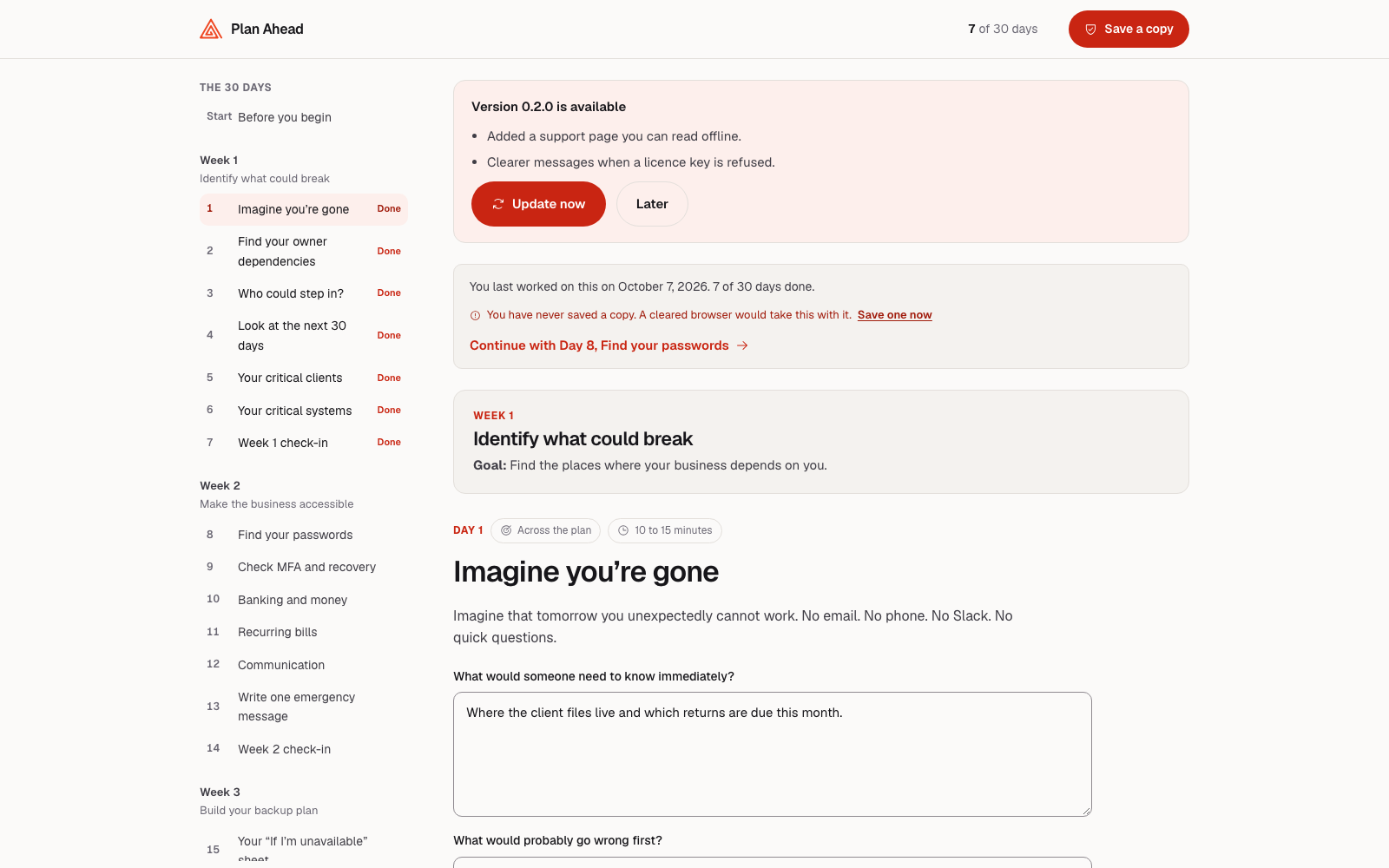
This is how an update is offered. Later puts it away, and nothing is downloaded until you ask.
This file cannot ask for an update
Open your original download or an owner Save my copy and press Update now. Review copies and files from before checkout existed cannot ask for updates.
If the owner file is gone, ask for a fresh download link or write to us with your order confirmation or Stripe receipt. That replaces the empty workbook, not your answers. The refused update changed nothing in your current file.
A question you answered has gone missing after an update
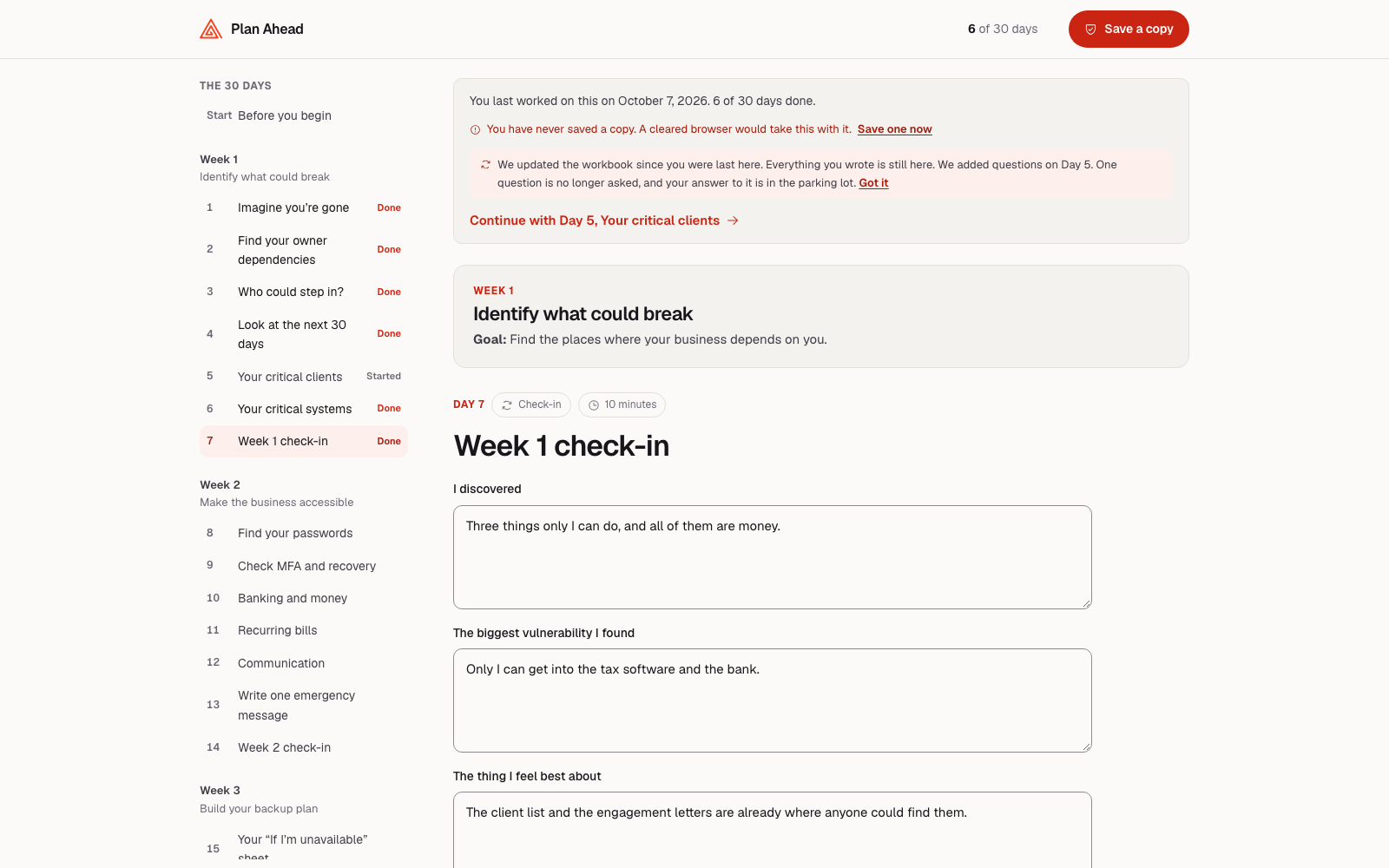
Open the Parking lot from the contents list. Answers to removed questions move there word for word and stay until you delete them. The new workbook names changed days the first time you open it.
Said once. Click Got it and it does not come back.
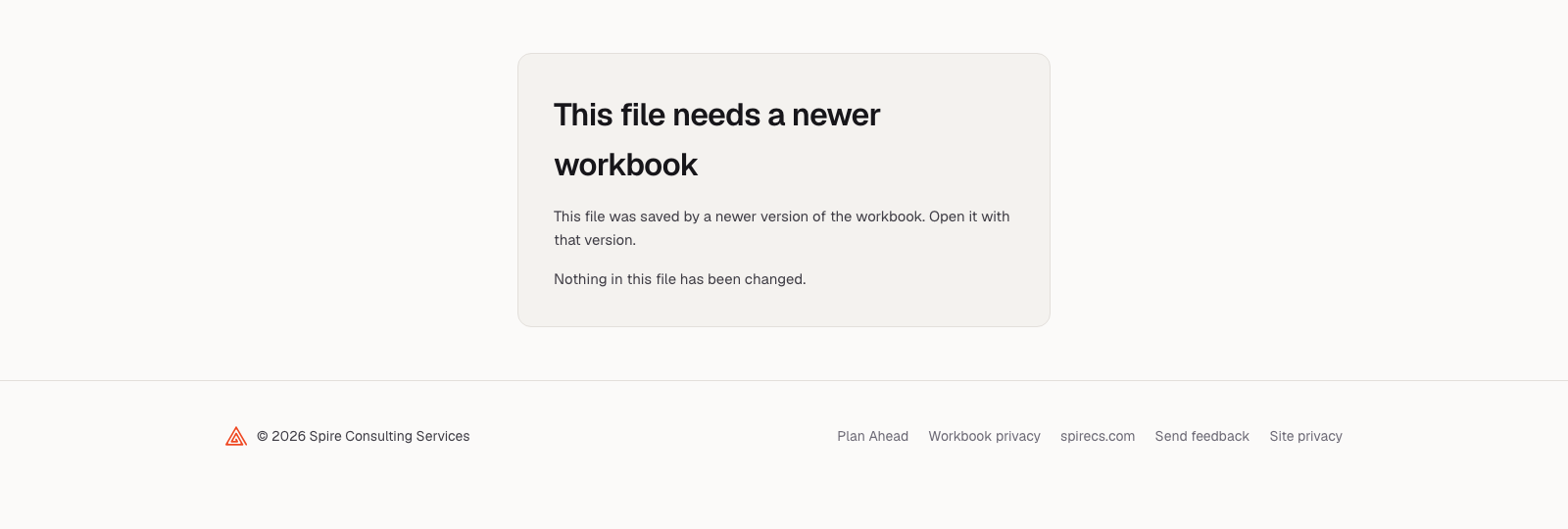
It says “this file needs a newer workbook”
Open the saved file in the newer workbook, or press Update now in your older one first. This usually happens when only one of two computers has been updated. Nothing in either file has been read or changed.
It stops rather than guessing, because guessing is how answers get scrambled.
When a file or a computer is lost
We can replace the empty workbook. Only your saved copies can restore answers: we have never received them.
Write: your browser holds answers on this device, for this file location.
Save my copy: a new numbered file contains your answers. Keep it; the highest revision is newest.
Open: transfer that saved file to another device to continue.
Updating is separate: we send an empty workbook. Your browser adds your current answers before download; the old file stays unchanged. Answers never reach us. A recovery download is empty, not a backup. See If something goes wrong inside the workbook for file naming.
You cannot find your workbook file
Look in downloads for continuity-plan or workbook. Open your latest saved copy to restore the answers it contains.
If an owner copy still opens, use Update now for a newer workbook with that copy’s answers.
For an empty replacement, open “Your Starter Kit order and download link” or ask for a fresh link. Your checkout confirmation in browser history also works: plan-ahead.now/starter-kit/received/?session_id=.
A replacement download is empty. Even on the same computer, browser storage is tied to the file’s location: a new file cannot be relied on to find unsaved work. Keep the original file location if it still works, and use Save my copy. We cannot recover answers.
Your browsing history or browser data was cleared
Open your latest saved copy. It restores answers as they were when saved. Browser-held answers erased by clearing data cannot be recovered by anyone, including us.
If no saved copy survives, download an empty replacement, or use Update now in an owner copy. The workbook’s daily save reminder turns red when work has not been saved to a file.
You cannot remember a password you set
Try your password manager, notes and caps lock, then look for an earlier copy. We cannot reset either kind of password. Choose the situation below to get working again.
A saved file will not open
Protect this file with a passphrase locks only that saved file.
Look for an unprotected earlier save: rev-02 is older than rev-03.
Try your original working file at its original location, in the same browser. Its answers are not protected by the saved file’s password.
The workbook itself asks for a password before it will open
Protect this browser copy locks browser-held answers. The screen says This workbook is protected.
Open an unprotected saved copy in a different browser or private window, where no browser copy is locked.
Continue there and save a new copy.
Clearing this browser’s data permanently deletes its locked answers. Do that only if you have a saved copy you can open. If that file has the forgotten passphrase too, clearing will not help.
Still stuck or unsure which password it is? Write to us. We cannot unlock it, but can help identify usable copies.
Writing to us
If nothing above fits, if you tried it and it did not help, or if you are simply stuck on one of the questions, write to us. Every message gets read and answered.
Can I get a refund?
No, and we would rather say that plainly than bury it. We can’t give refunds on the workbook. What you bought is a file you already have, and there is no way to hand it back.
But we are not going to leave you stuck either. The point of all this is that you end up with a plan, so tell us what is in the way.
If something technical is stopping you, write to support@plan-ahead.now and we will stay with it until it works.
If it is one of the harder questions you are stuck on, write anyway. A few sentences back from us is usually enough to get you moving again.
None of that is conditional on how far you have got, or on whether you have opened the workbook since the day you bought it.
Are workbook updates included?
Press Update now for included updates to the edition you bought. Fixes, wording, prompts and print improvements are included at no extra cost. Find your file’s release number on Sources.
It is optional. Support here stays free; technical help never depends on booking.
Three things to tell us
What you were trying to do. One line is enough: updating, opening a file I saved, printing my plan.
What the message said, as close to word for word as you can manage.
Your order number. If you cannot find it, the email address you bought with will do.
A photo or screenshot of the message covers the first two at once, and is usually easier than describing it.
Two things never to send
Your answers, or the file you saved. They are about your clients and your money. We have never held a copy and no support question needs one.
A passphrase you set. We cannot reset it, and nothing we can help with needs it.
If anyone ever asks you for either of those, it is not us.
What to expect back
A real answer, not a ticket number. We will not promise how fast, and we will not promise who writes it: some of it may be answered with the help of software, and anything that cannot sort out is picked up by one of us. What we will not do is leave the conversation while you are still stuck, whether that is the workbook not running or a question you cannot get past.
Email is the right size for most of this, and it is free. If we find ourselves going back and forth more than a couple of times, or what you need is someone to think the thing through with you rather than fix something, we will say so: see can someone go through it with me.
Write to support@plan-ahead.now. The same address is printed inside the workbook itself, on its If something goes wrong page, so you still have it on a day you cannot get to this one.